
Enhancing Burp Suite with Extensions
Published:
Overview
Burp Suite is the industry standard for web application penetration testing, but relying solely on a vanilla installation means missing out on powerful features that can reduce time and streamline your workflow. Constantly switching between different external tools, terminal windows, and scripts can quickly become cumbersome and break your focus. This tutorial serves as a practical guide to upgrading your Burp Suite installation by bringing these capabilities directly into Burp. I’ll cover the process of finding and installing extensions and break down some useful extensions showcasing functionality and use cases.
How to Install Extensions in Burp Suite
Adding extensions to Burp Suite is primarily handled through the BApp Store, located under the Extensions tab. While none of the specific extensions covered in this tutorial require it, it is highly recommended to configure your environment to support Python-based tools before you start browsing. Many of the most powerful extensions in the BApp store require Jython to be configured to run properly. I will link the documentation for installing and setting up your environment below.
https://portswigger.net/burp/documentation/desktop/extend-burp/extensions/troubleshooting#you-need-to-configure-jython-or-jruby
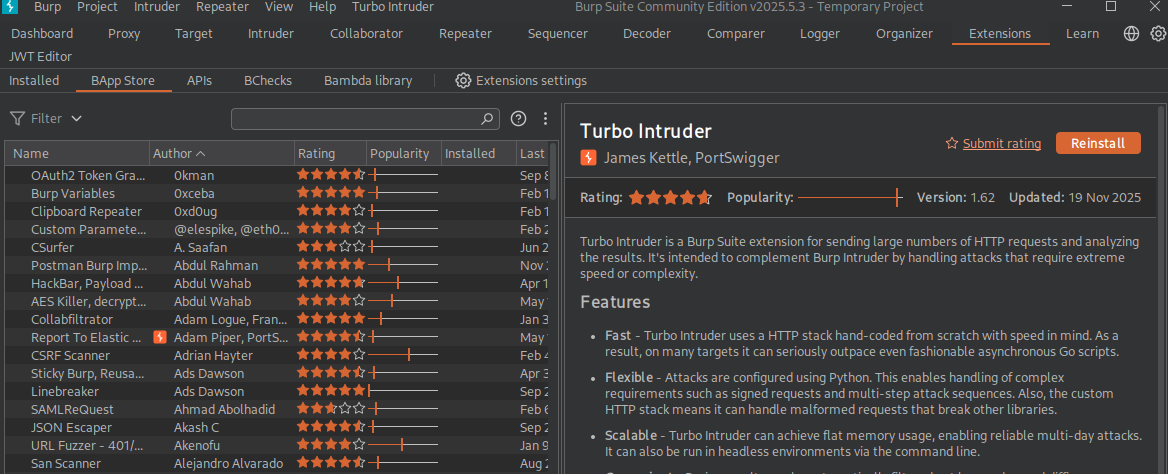
Great Extensions for Enhancing Your Workflow
Whether you took the time to set up Jython or are just sticking with the default environment for now, you can start upgrading your toolkit immediately. Head over to Extensions > BApp Store to begin. Below is a breakdown of three extensions that will hopefully improve your workflow, along with practical examples of how you would use them in the field.
1. Param Miner
What it does: Web applications often have hidden parameters that are not explicitly linked or referenced in the client-side code. These are often left over from debugging, testing, or unlisted API features. Param Miner automates the discovery of these unlinked parameters by analyzing web traffic and fuzzing requests.
- How to use it: Right-click any HTTP request in your HTTP History or Repeater, navigate to Extensions > Param Miner, and select Guess headers or Guess GET/POST parameters. In order to view your results head to Extensions > ParamMiner > Output
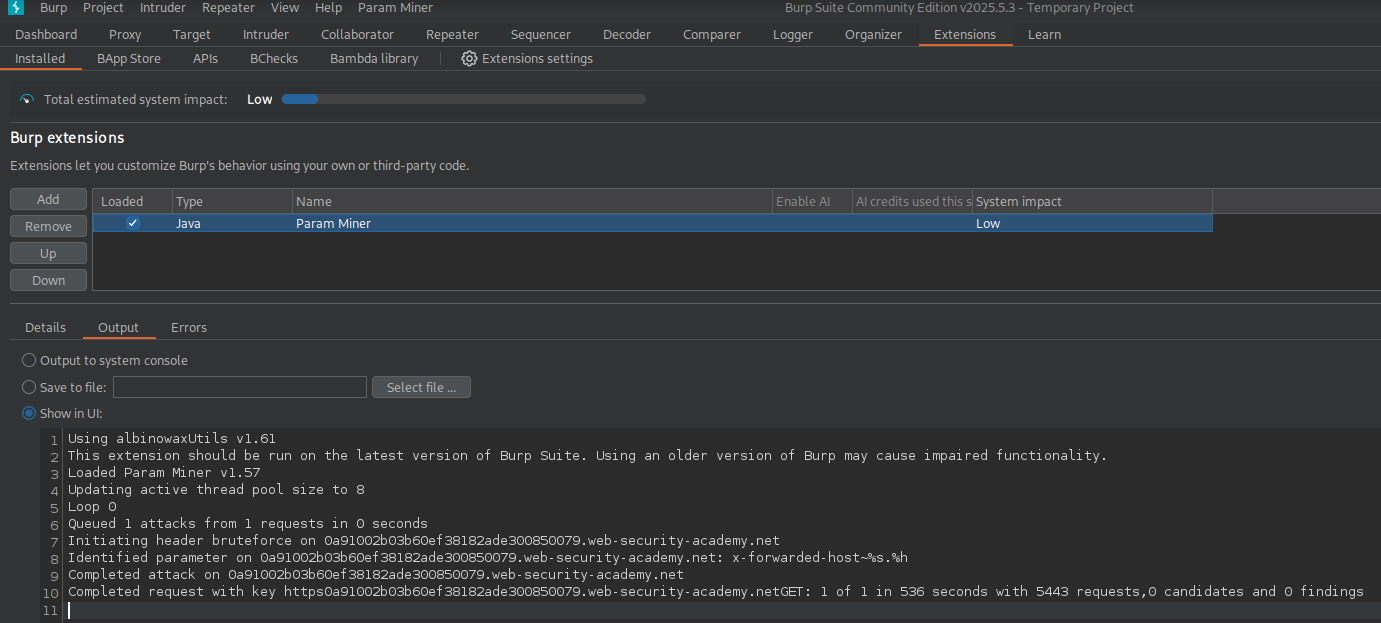
Primary Use Case: Param Miner is incredibly useful for finding hidden attack surface areas and is heavily used when hunting for Web Cache Poisoning vulnerabilities.
-
Practical Example: You are testing a web application and want to see if you can poison its cache to attack other users. You right click a standard page request in your HTTP History and run Param Miner to Guess headers. A few minutes later, the extension flags a hidden, unkeyed header. You send this request to Repeater and inject a malicious payload into the newly discovered header. Because the server blindly trusts this hidden input and caches the response, you successfully poison the main cache. Now, any unsuspecting user who navigates to that page will be served your poisoned response and unknowingly execute your malicious script.
-
Recommended Lab: To practice this workflow and get more comfortable with ParamMiner, check out PortSwigger’s free Web cache poisoning labs.
https://portswigger.net/web-security/web-cache-poisoning
2. JWT Editor
What it does: JSON Web Tokens (JWTs) are ubiquitous in modern web applications for handling authentication and session management. By default, decoding and modifying these tokens manually in Burp can be tedious. JWT Editor parses these tokens automatically, highlighting them in your proxy history and allowing you to edit them inline.
- How to use it: When viewing a request containing a JWT in the Repeater tab, you will see a new JSON Web Token tab next to the raw request. From here, you can easily decode the payload, modify claims, and attempt common bypass attacks.
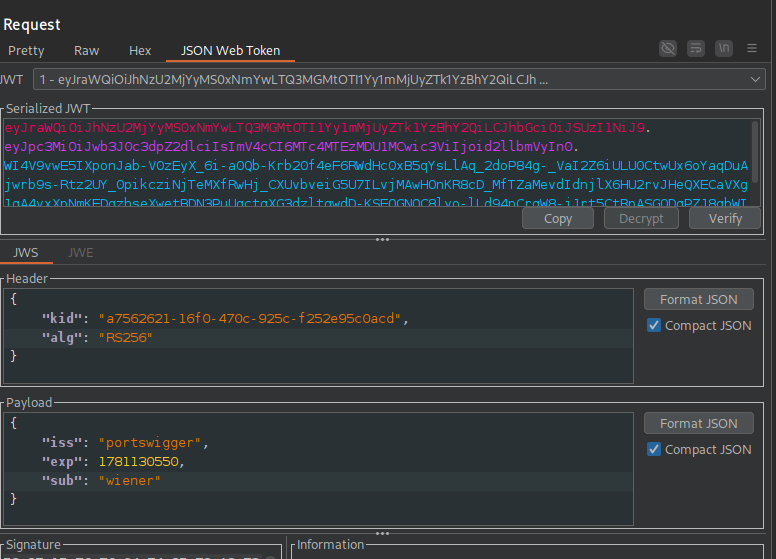
Primary Use Case: This extension is essential for testing authorization flaws and token manipulation.
-
Practical Example: You capture a request to
/admin/dashboardthat returns a403 Forbidden. You switch to the JSON Web Token tab in Repeater and inspect your session token. The decoded payload shows{"user": "nicholas", "role": "guest"}. You modify the payload directly in the editor, changing"guest"to"admin". Since modifying the payload invalidates the cryptographic signature, you use the extension’s built-in Attack feature to execute an alg=none attack. This changes the token’s header toalg: noneand strips the signature entirely. You send the modified request and successfully bypass the authorization check to access the admin dashboard. -
Recommended Lab: To practice token manipulation and get more familiar with JWT Tokens in general, check out PortSwigger’s free Web Security Academy JWT Section.
https://portswigger.net/web-security/jwt
3. Turbo Intruder
What it does: Turbo Intruder is a Python-based extension built on a highly optimized, custom HTTP stack. It is designed to completely bypass the structural limitations and artificial throttling of the default Burp Intruder,
- How to use it: Right-click a request and select Extensions > Turbo Intruder > Send to Turbo Intruder. A new window will open with the raw HTTP request on top and a customizable Python script on the bottom.
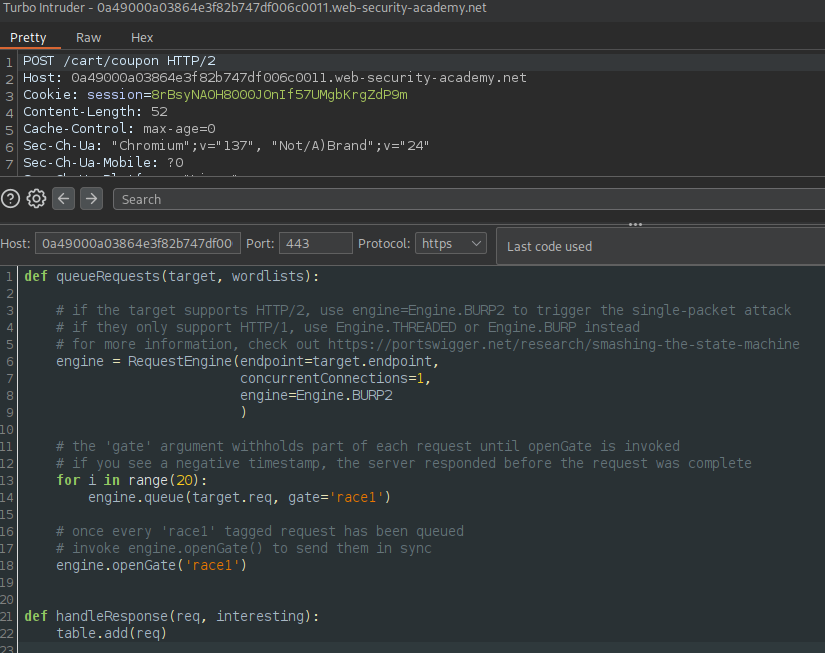
Primary Use Case: Turbo Intruder is the industry-standard tool for hunting and exploiting Race Conditions. By utilizing a single-packet attack, Turbo Intruder eliminates network jitter by holding dozens of concurrent connections open at the server’s gate, releasing the final byte of every request at the exact same millisecond.
-
Practical Example (Race Condition): You are testing an e-commerce checkout page, and you have a one-time-use $50 off coupon code. When using the standard Burp Intruder to send the code multiple times, the server processes them sequentially: the first request succeeds, and the rest return a “Coupon already applied” error. You send the request to Turbo Intruder and configure the Python script to utilize a single-packet attack. Turbo Intruder opens 20 concurrent connections, holds them open, and sends the final byte of all 20 requests at the exact same millisecond. The server processes all 20 requests simultaneously before the database has time to lock the row and update the coupon’s status, successfully applying the $50 discount 20 times to a single order.
-
Recommended Lab: To practice exploiting race conditions, check out PortSwigger’s free Web Security Academy Race Condition Section.
https://portswigger.net/web-security/race-conditions/
Conclusion
At the end of the day, successful penetration testing is about methodology and efficiency. The default version of Burp Suite is fantastic, but taking the time to customize and enhance your tools is what separates a beginner from a professional. Integrating these extensions into your daily workflow actively speeds up your ability to compromise an application’s logic. Take the time to configure your environment, and explore the BApp store. Streamlining your setup directly increases the time you spend actually hunting for vulnerabilities.